A busy arrival day,
in RoomJetty.
It’s Friday before the Fourth of July at Seabright Motor Lodge, a fictional Wildwood property. Five parties are due in. Follow the front desk from the morning check to the room handoff, then see how the manager set the holiday rates.
THE MORNING CHECK
Start on Today.
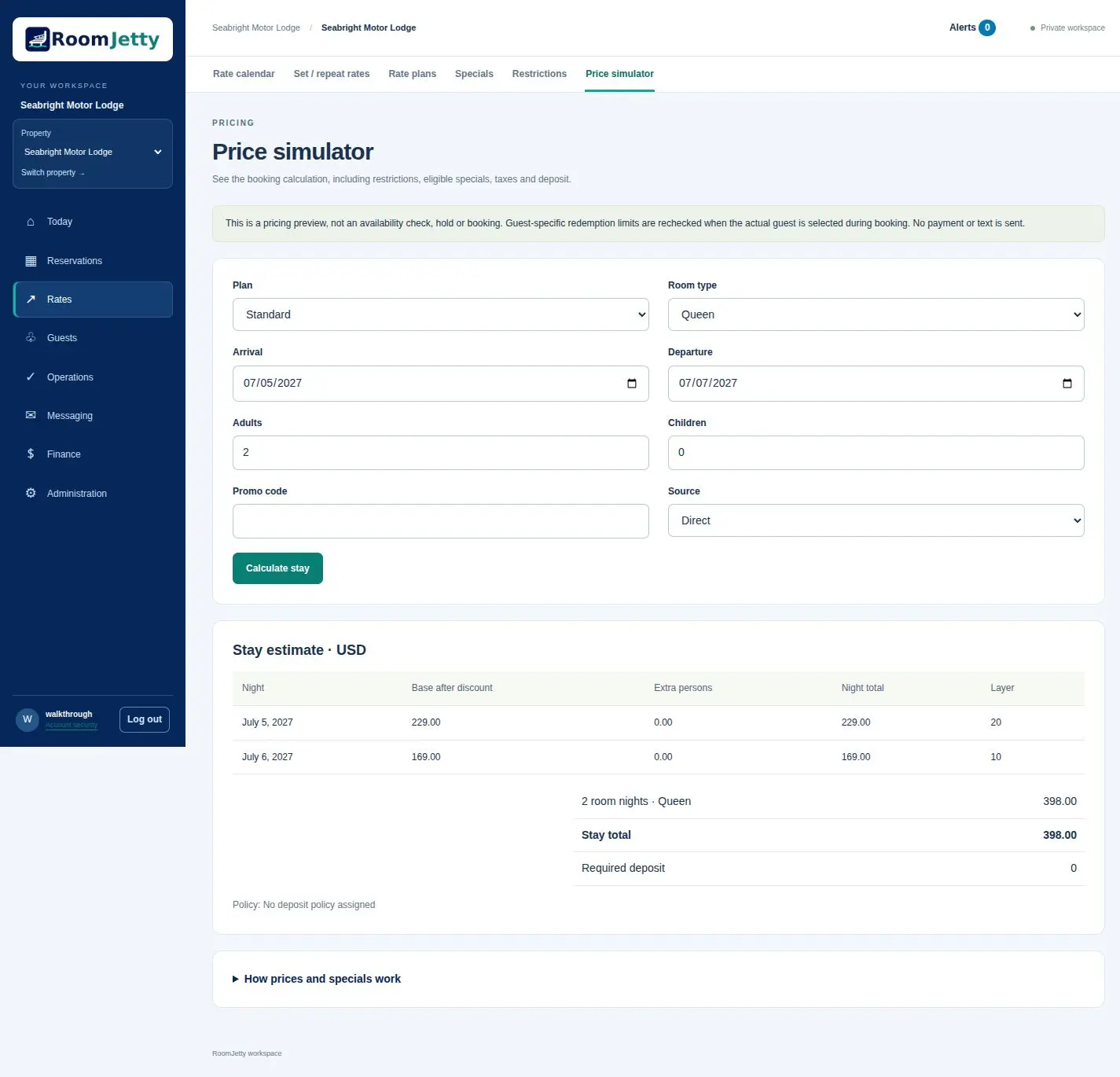
The front desk sees five arrivals, three departures, four rooms that need cleaning, and one payment exception. The dashboard gives the team a short list of what to follow up on before guests start showing up.
Jordan Avery is due in today and has an overdue deposit. Open the reservation calendar to check the assigned room and the dates of the stay.
BEFORE CHECK-IN
Find the stay and check the deposit.
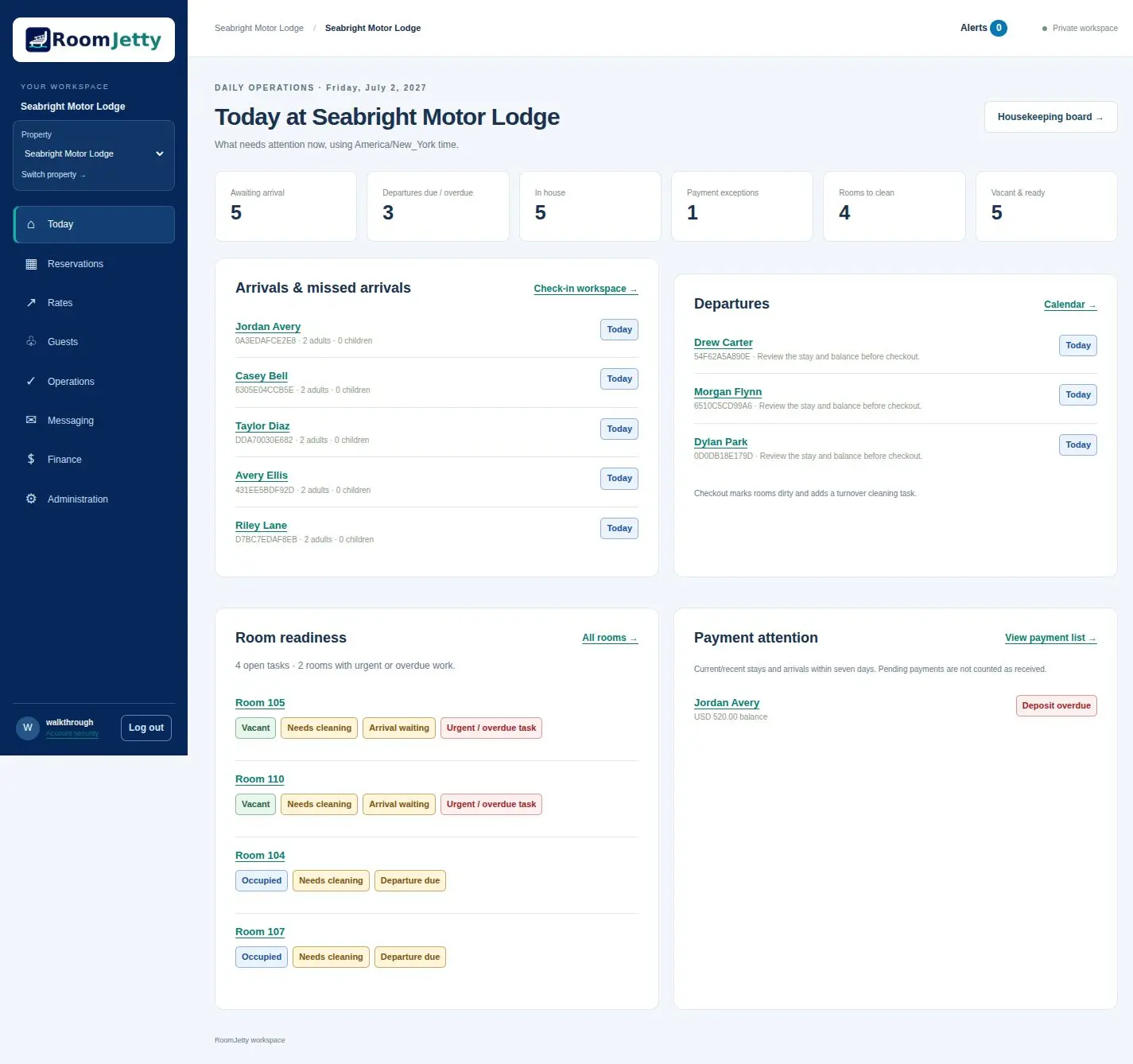
On the calendar, Jordan’s confirmed stay spans July 2–5 in room 101. The red payment marker flags the overdue deposit. Select the stay to review its reservation details and payment status before check-in.
The same grid shows who’s staying over and which rooms have another arrival later in the weekend.
THE ROOM HANDOFF
See which rooms can take an arrival.
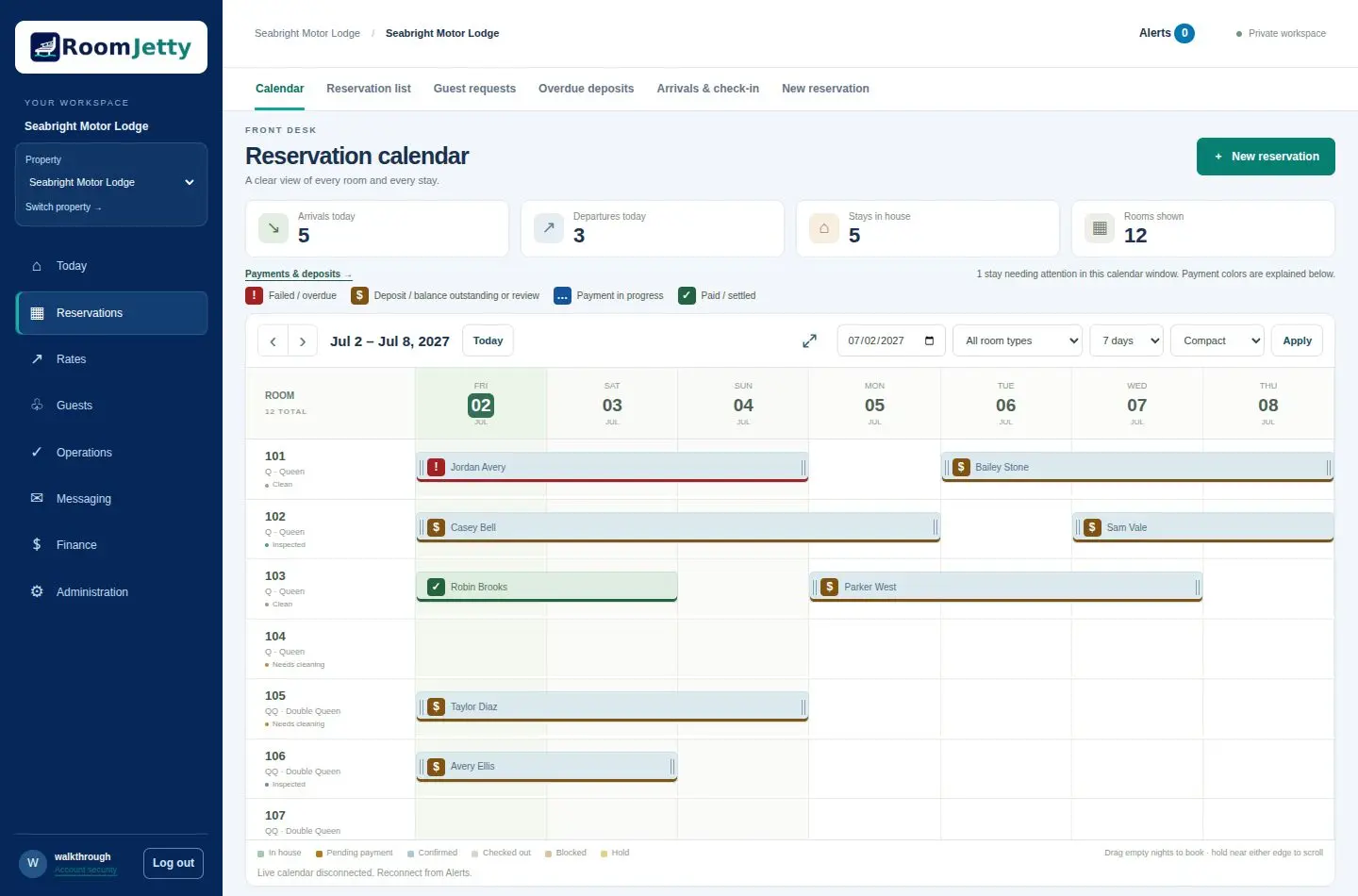
Filter the housekeeping board to Arrival waiting. Room 101 is vacant, clean, and marked ready for arrival. Rooms 105 and 110 are still waiting on cleaning.
Once the front desk resolves the deposit exception, it can check Jordan in. Housekeeping can use the same board to prioritize the remaining turns.
SEASONAL ROOM RATES
Set summer rates and layer in the holiday.
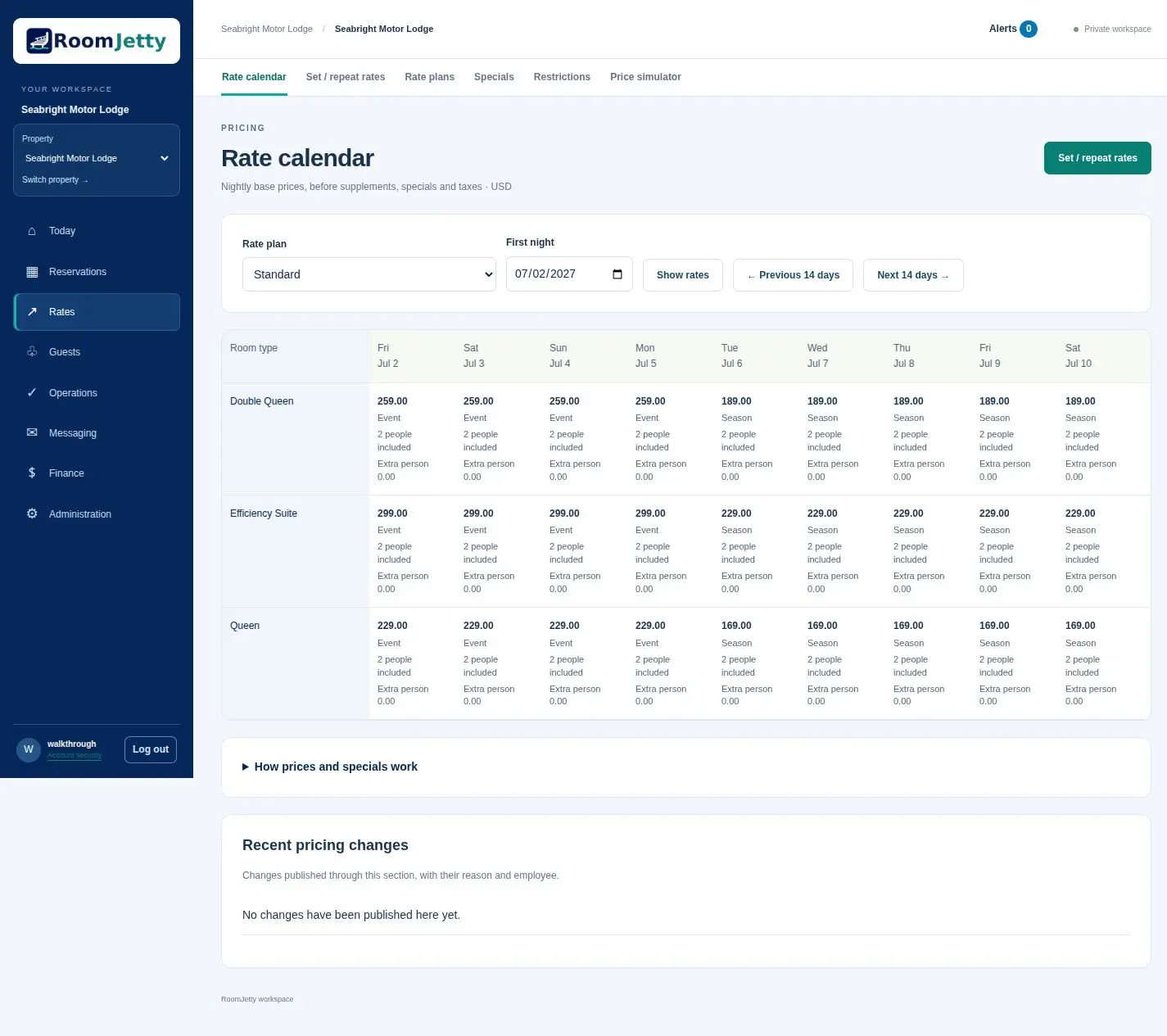
In the bulk rate editor, the manager selects the Standard plan and Queen rooms. They set the Season rate to $169 a night for summer, then add a $229 Event rate for July 2–5.
To cover the night of July 5, they enter July 6 as the end date. After reviewing and publishing, the rate calendar shows where the Event rate takes precedence and when the Season rate resumes.
THE QUOTE PREVIEW
Check what a guest would pay.
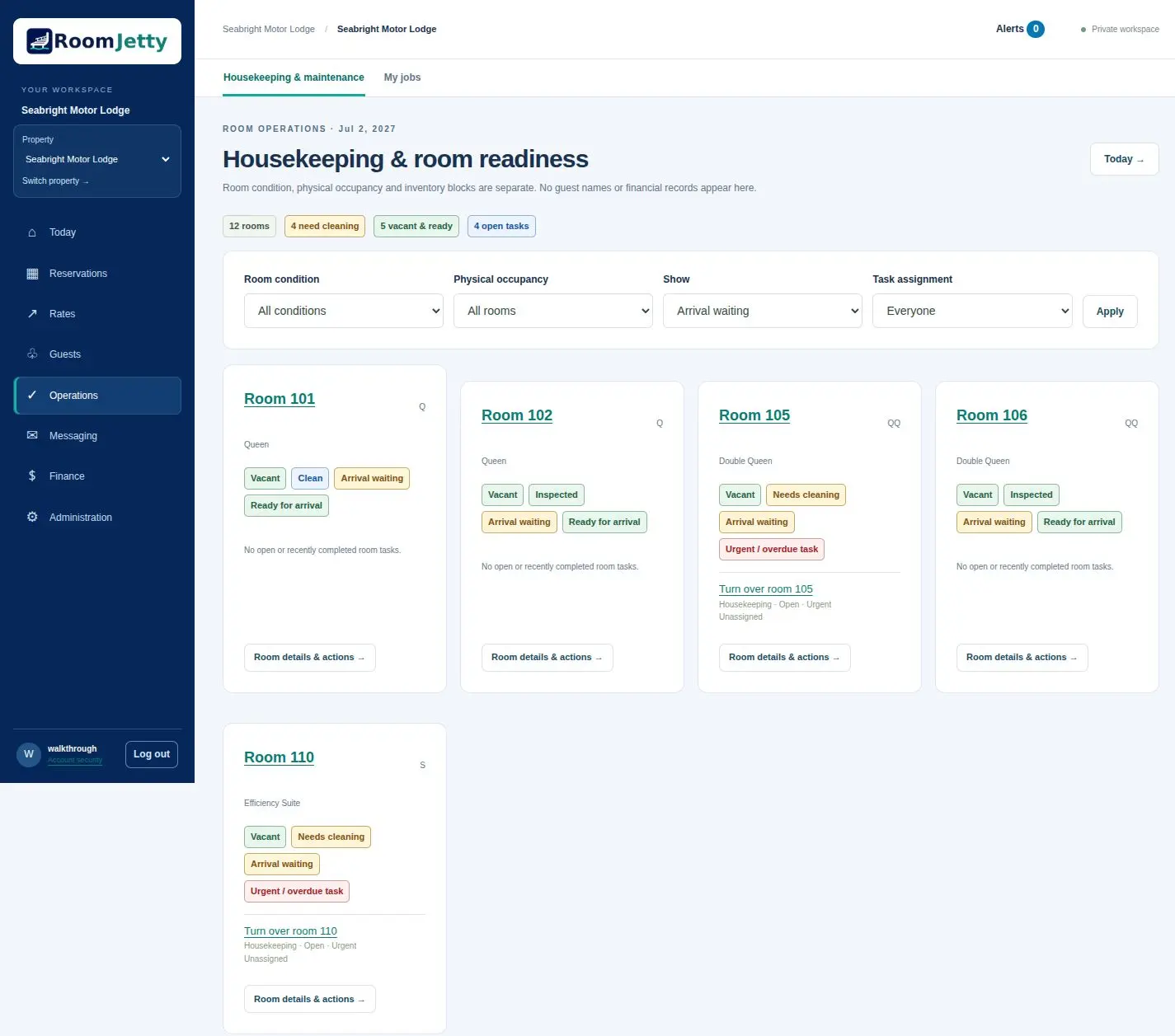
In the Price simulator, the manager chooses Standard, Queen, two adults, and July 5–7. The estimate shows the rate that applies to each night before staff create a reservation.
- July 5 · Holiday event
- $229
- July 6 · Summer season
- $169
- Sample room subtotal
- $398